How Semantic Scholar is revolutionizing research with AI-driven automation?
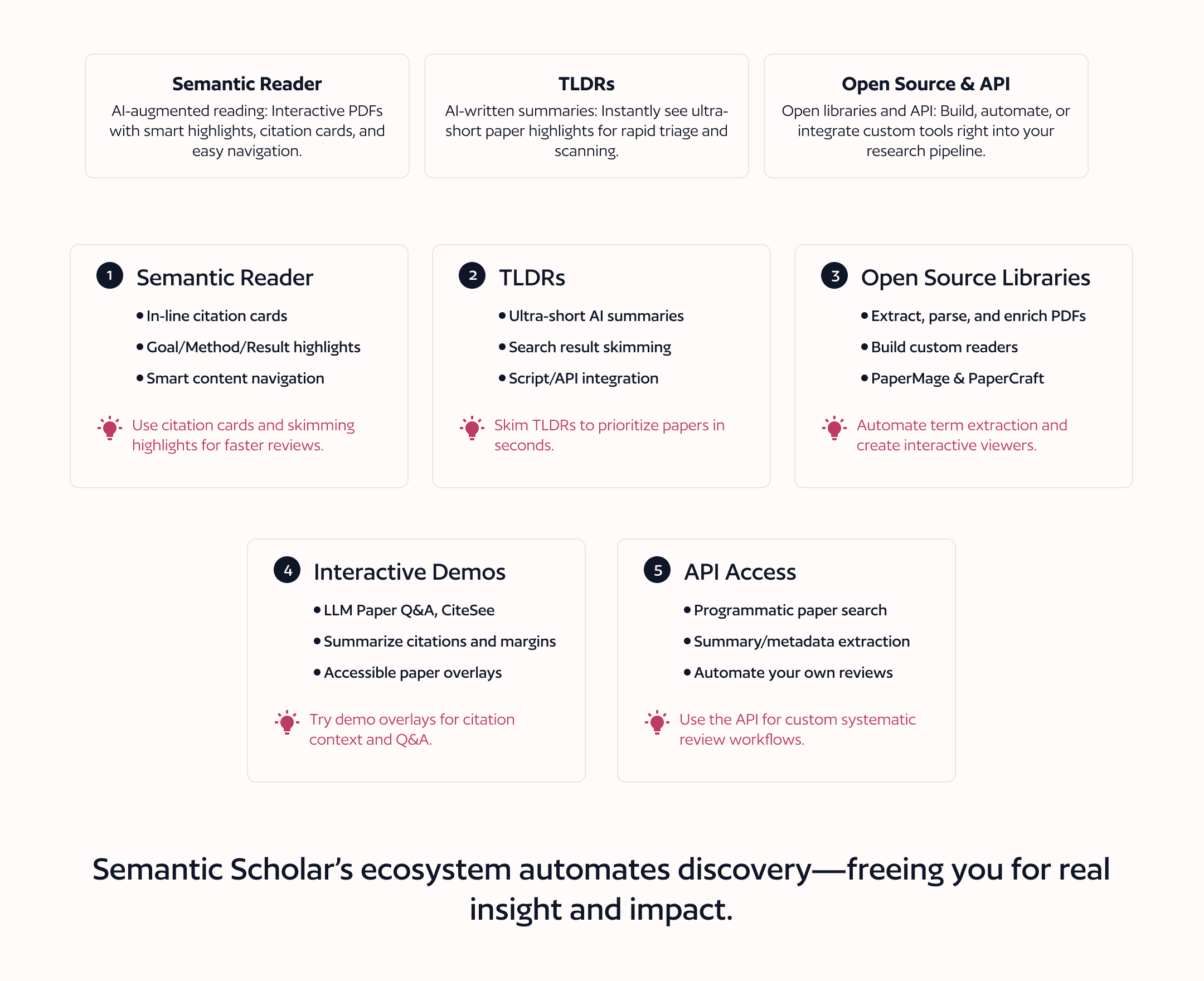
Semantic Scholar and its associated Semantic Reader Open Research Platform offer several powerful tools and workflows to help automate and enhance your research process:
1. Semantic Reader: Augmented AI-Powered Scientific Reading
The Semantic Reader provides an interactive, AI-augmented reading experience for scholarly articles, aiming to remove common friction points in reading technical papers (e.g., navigating citations, keeping track of notes, struggling with the PDF format).
In-line Citation Cards: Instantly view the details and TLDR summaries of cited papers as you read, without leaving your place.
AI-Generated Skimming Highlights: Key points of papers are highlighted and labeled (Goal, Method, Result) to let you quickly skim and focus on relevant information.
Table of Contents Navigation: Automate navigation in long papers by jumping directly to sections.
Save to Library & Personalization: Save papers, track reading history, and receive customized context and recommendations over time.
2. TLDRs (Ultra-Short Summaries at Scale)
Automatically generates ultra-short single-sentence summaries for millions of scientific papers using advanced NLP techniques.
Instantly review concise summaries on search results pages to decide which papers deserve deeper reading, dramatically reducing the time needed for initial paper triage.
TLDRs are integrated into both the website interface and the API, enabling downstream automation (e.g., summary extraction in your literature gathering scripts).
3. Open Source Libraries for Automation
A toolkit for processing and analyzing scholarly PDFs.
Tasks you can automate:
Extract text, paragraphs, and definitions from PDFs programmatically.
Example workflow (from the snippet): Parse a PDF, extract abstracts/paragraphs, prompt an LLM to define terms, and visualize or augment the paper with highlights and popups (suitable for downstream NLP/LLM pipelines).
A React component library for building augmented and interactive reading interfaces.
Automate the construction of custom document viewers with overlays, popovers (e.g., for definitions), and interaction features, enabling bespoke workflows for research teams or labs.
4. Interactive Demo Systems
Several showcased prototypes demonstrate additional automation and augmentation capabilities, including:
LLM Paper Q&A: Use a GPT-powered interface for PDF question-answering with attribution.
CiteSee, CiteRead, Scim: Automatically augment papers with citation context, summarize incoming citations in the margins, and highlight sentences for rapid skimming.
Paper Plain: Make technical papers more approachable for non-experts using NLP-powered augmentations.
5. API Access
With its publicly available API, Semantic Scholar lets developers and researchers integrate automated search, metadata retrieval, and summary extraction into custom workflows.
Whether conducting systematic reviews or scaling up literature discovery, the API empowers you to gather, triage, and summarize knowledge at machine speed.
Example Automation Workflow
Here’s how you might leverage the Semantic Scholar ecosystem for a truly automated literature pipeline:
Gather Papers: Use Semantic Scholar’s search interface or API for broad, targeted discovery.
Extract Key Info: Instantly review TLDR summaries; fetch metadata and citations via API.
Process PDFs: With PaperMage, extract abstracts, paragraphs, and definitions programmatically.
Augment/Skim: Read efficiently using the AI-powered Semantic Reader—skimming highlights and citation cards as you go.
Build Custom Readers: With PaperCraft, tailor your reading environment for collaborative or solo research—add in-line tooltips, definitions, and more.
Integrate Q&A: Plug in GPT-based Q&A systems (e.g., LLM Paper Q&A) to query papers directly for fast synthesis.
Semantic Scholar’s ecosystem, especially the Semantic Reader Open Research Platform, enables you to automate literature review, paper summarization, skimming, Q&A, and even building your own interactive reading interfaces; integrating AI insights directly into your research workflow.
Most components are open-source or API-accessible, supporting full automation and customization for individual researchers and teams.