Table Component
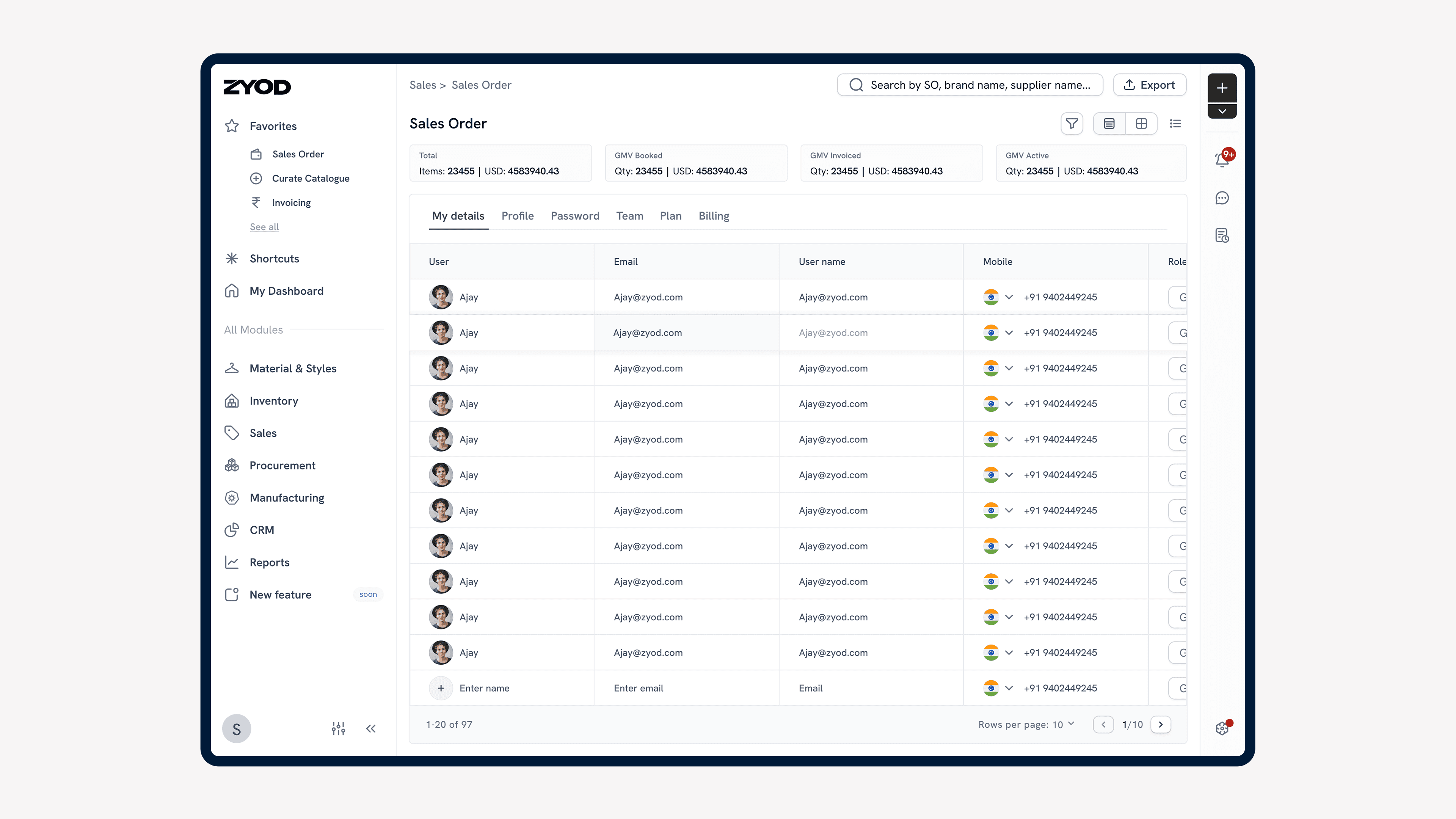
Study the existing table and create a smart, scalable table component for ERP.
Problem Statement
The existing ERP tables were inconsistent, lacked scalability, and created a fragmented user experience.
Complex user interactions with tables added inefficiencies, making data-heavy workflows more challenging for users.
Impact
Table component that improved usability and consistency across ERP modules.
Reduced the time taken to design table for any module significantly.Enhanced efficiency by simplifying complex table interactions with user-friendly designs.
Increased scalability, enabling smoother integration of tables into new ERP features.
Process
Auditing Current ERP Tables
Objective:
Identify inconsistencies, redundancies, and edge cases in existing ERP tables.
Steps:
Reviewed all tables used across ERP modules.
Documented the different types of tables (e.g., editable, non-editable, and comparison).
Listed unique cell types, such as dropdowns, multi-selects, and tooltips.
User Research
Objective:
Understand the pain points of interacting with complex table features to explore opportunities for improvement.
Steps:
Conducted user interviews and usability tests.
Segregated what cells should be revamped into new features, which require in-depth research to defined the scope of this project.
Component Breakdown
Objective:
Define a reusable set of cell components to align with the needs of various table use cases.
Outcome:
A categorized list of components spanning all ERP modules.
Defining Edge Cases & Contextual Interactions
Objective:
Account for user interaction requirements and edge cases relevant to specific ERP modules.
Examples:
Display truncated text dynamically with tooltips for clarity.
Enable real-time validation for inline-editable cells.
Apply color-coded highlights for discrepancies in comparison cells.
Competitor Research & Visual Benchmarking
Objective:
Analyze table components and interaction patterns from industry-leading platforms to identify scalable and user-friendly solutions.
Outcome:
Benchmarked competitors against usability and visual design standards.
Extracted best practices for component usability, scalability, and aesthetic consistency.
Wireframing & Final Design
Wireframing: Created low-fidelity prototypes to establish table structures and interactions.
Final Design: Delivered a unified table design system to address module-specific and workflow needs.
Solution
The unified table component caters to various unique use cases while ensuring functionality and user experience are prioritized:
Enhanced readability using clear typographic hierarchy and contextual tooltips for long text fields.
Added inline edit capabilities with real-time validation and feedback.
Introduced dynamic side-by-side comparison features with color-coded highlights for easier data tracking.