TNA Activity App
A collaborative platform for managing, prioritizing, and executing workflows in fashion production.
Problem statement
Frontline users like team leads, fabric chasers, warehouse supervisors, and merchandisers face critical gaps with the current Multi Style Table:
Limited task actionability: They cannot quickly identify or act on their own assignments.
Lack of real-time workflow: No instant task updates or mobile-ready tools for organizing daily work.
No personalization or alerts: The system doesn't tailor views or send notifications for deadlines and escalations.
Missing on-the-go collaboration: Users can’t easily comment, upload evidence, or coordinate in real time.
Complex task management: Navigating and updating tasks remains slow and cumbersome in a dense, desktop-first interface.
The solution
All teams, merchandising to procurement & production have visibility over every orders, tasks.
It lets users manage and update tasks anywhere, quickly see what needs attention.
Reduce the manual effort of tracking every status individually with increased team accountability.
User journey examples
Daily Review:
User opens app, sees red/yellow stages, "Need attention" chips.
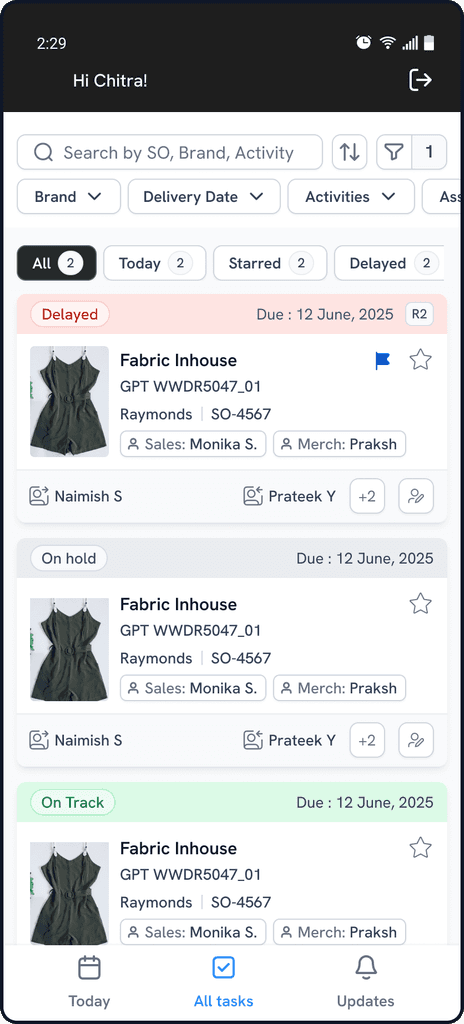
Uses filters (“Show only Need Attention”, “My SO’s”, “Due this week”, etc).
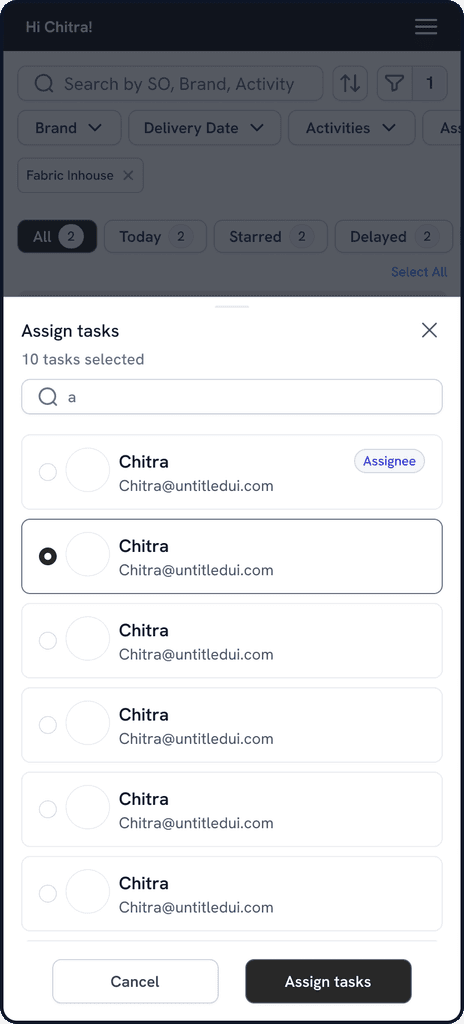
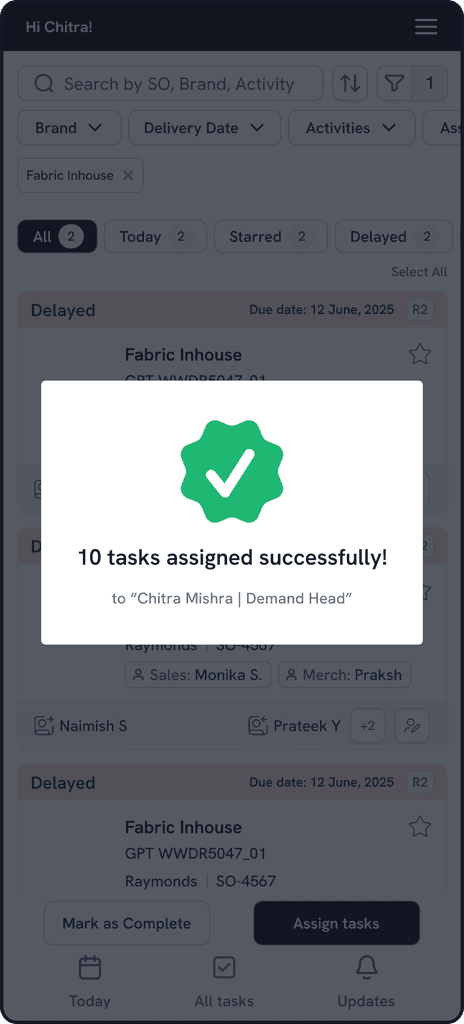
Bulk selects delayed tasks → Escalate, reassign, or batch comment.
Clicks into a card for chat or status update—can attach photos and comments for audit trail.
New Task Assignment
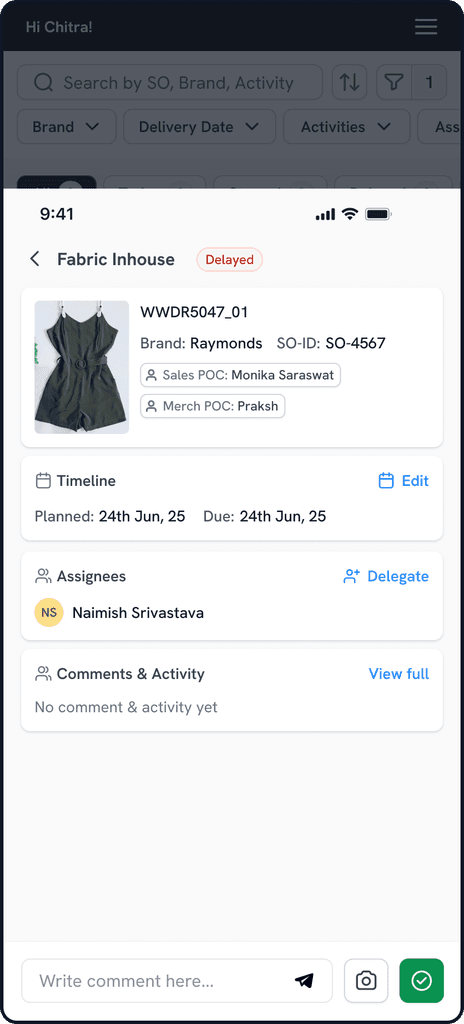
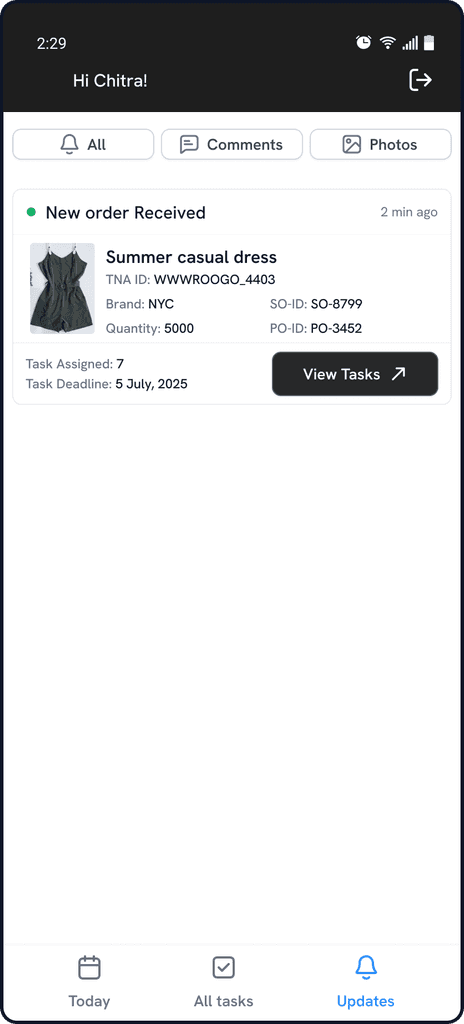
User gets in-app/email notification: “New style order needs your action.”
Clicks through directly to filtered view: only new order’s tasks shown.
Adds notes, starts, or delegates activities as needed.
POC Audit: sees full assignment history, reviewer chain & comments
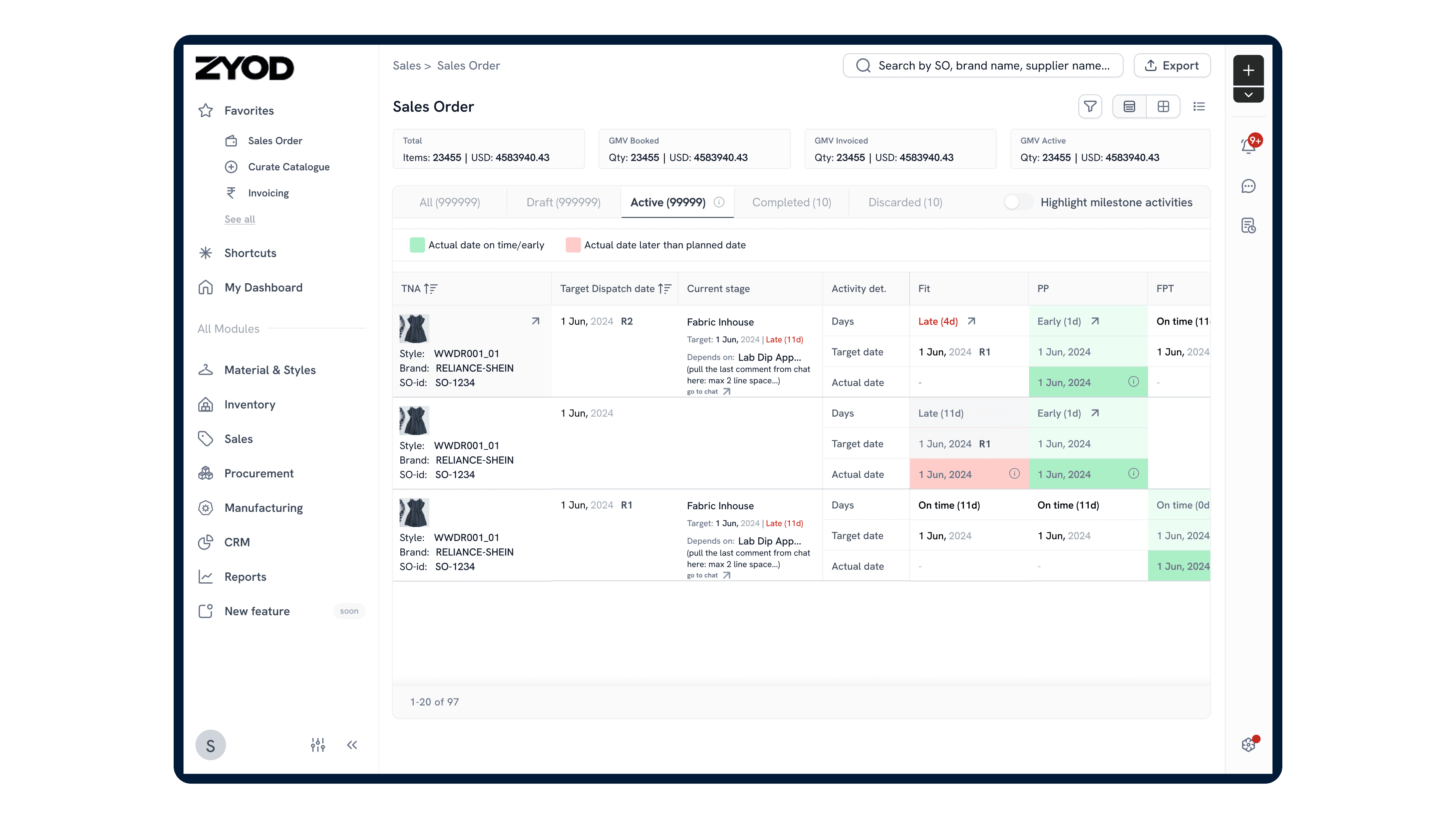
A multi style table already exists in the ERP
The Multi Style Table is the central dashboard of the TNA module in the ZYOD’s ERP.
It consolidates all active production orders, with a unique style ID, along with critical stages (Fabric Inhouse, Cutting, Stitching, Finishing, etc.).
Instantly shows which style/order/stage is delayed, needs attention, or is on track.
It carries not just dates/status, but “why” (e.g., delay cause, revision history) with hoverable tooltips, color cues, and comment/history links.
You may ask, if multi style table existed, Why there was a need of the app?
The app makes the actionable, real-time, role-based, and collaborative side of the workflow possible and effortless—bridging the gap between centralized reporting (ERP table) and distributed, high-speed task execution and communication in the field.
User stories
"As a team lead, I want to see which styles are blocked or delayed across all workflow stages. I want in-line context (delay days, color highlights, need attention tags) and a way to bulk escalate or re-assign tasks, so my team never misses an urgent deadline."
“As a fabric chaser inspecting fabric at a vendor, I need to immediately update inspection status, upload a photo, and notify my team, without emailing a desk-bound planner. The app gives me this in seconds, while the ERP table is out of reach.”
“As a procurement head, I want to filter the table by vendor or PO, see which entries are yellow/red, and generate a report at EOD.”
Design Impact
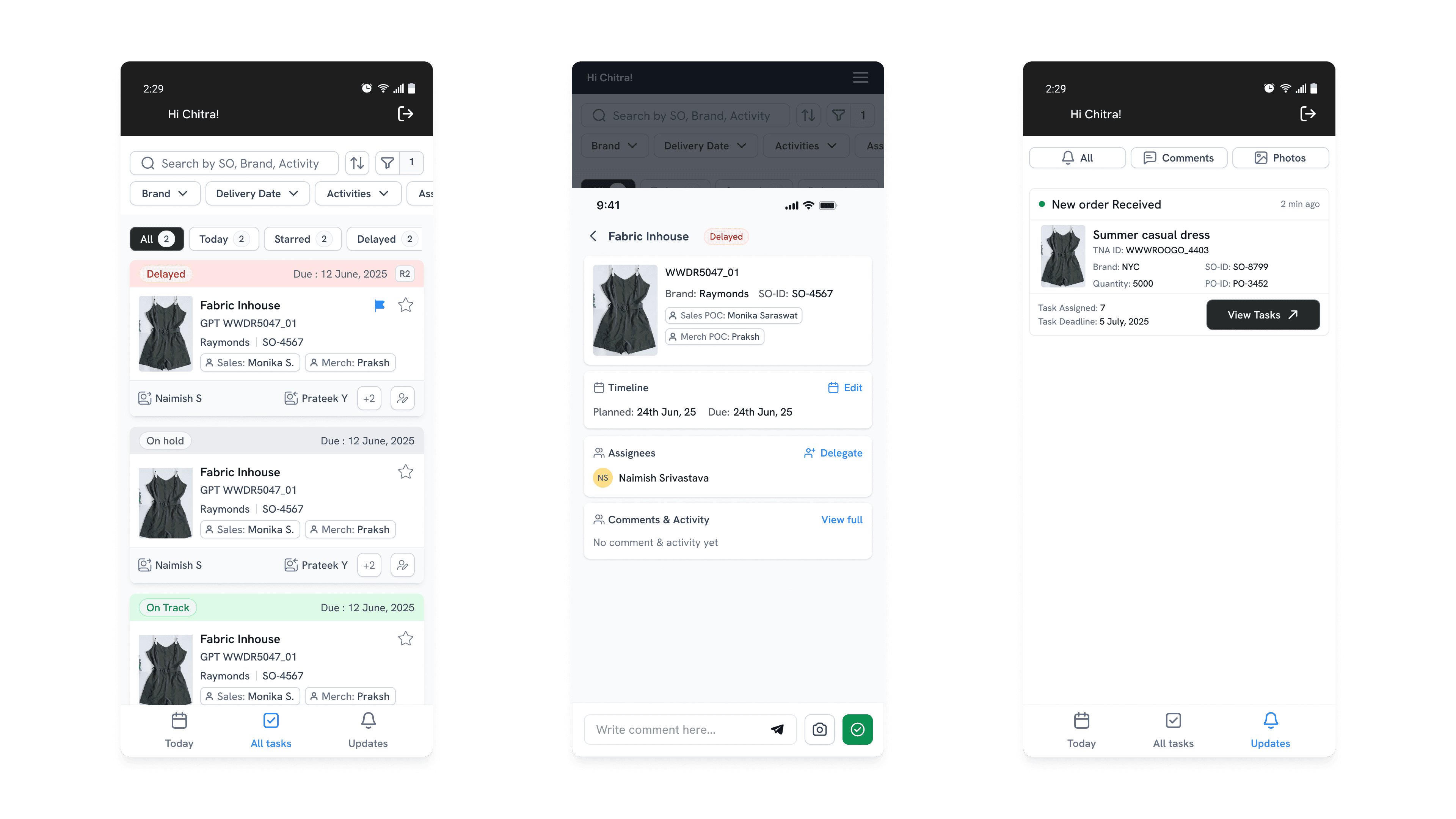
Instant Prioritization: Color-coded tags and milestone markers immediately signal status, urgency, and project-critical tasks for fast triage.
All-in-One Context: Cards combine brand, style, contacts, and assignment details so users see what, who, and why without extra clicks.
Role-focused Actions: Quick-edit, assign, and favorite icons let users act or update on responsibilities in just one tap.
Visual Clarity for Teams: Compact layout, profile chips, and clear imagery enable quick scanning—even for complex, multi-assignee workflows.
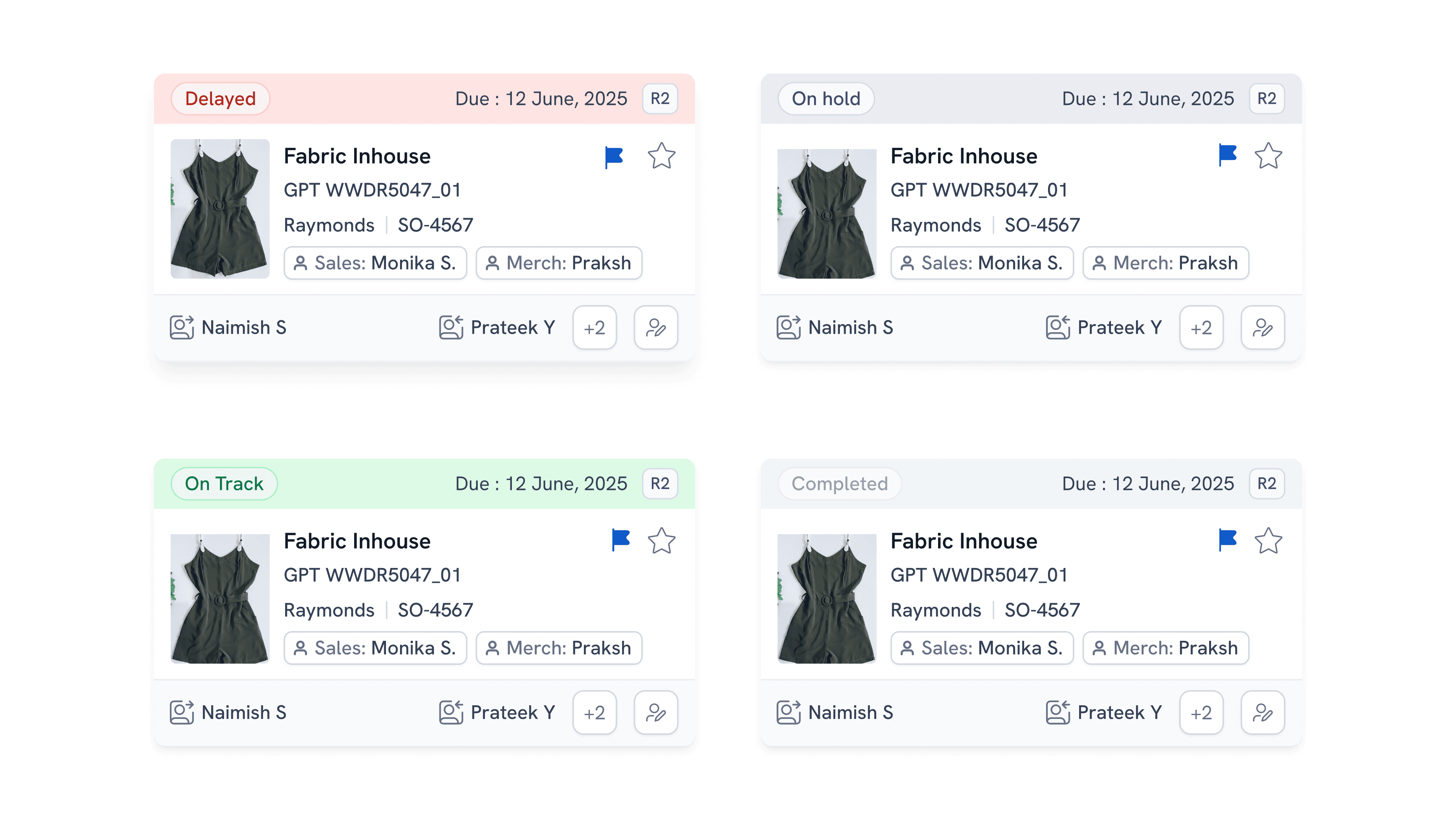
Rapid Task Triage: Color-coded sections (Delayed, On Hold, On Track) and clear due dates enable users to instantly assess urgency and status for each task across the main list.
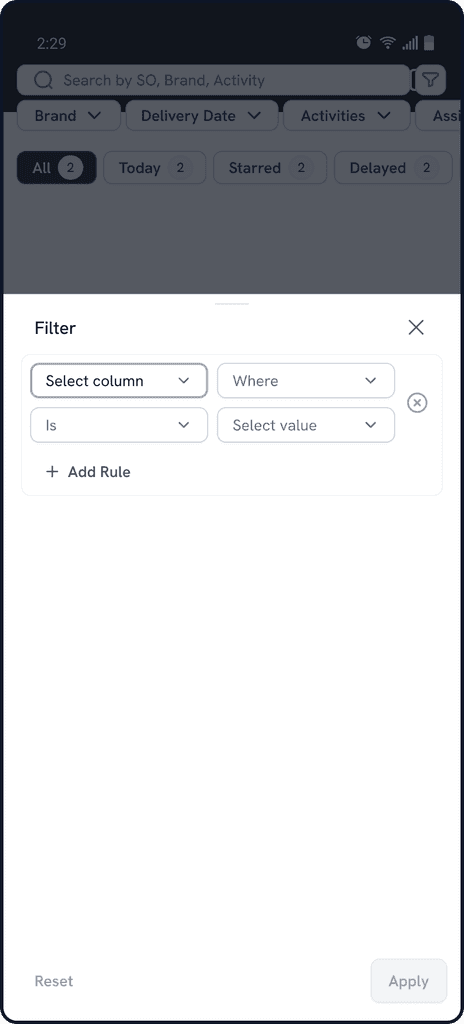
Context-Rich Task Details: The detail view places all essential info—timelines, assignees, comments, and quick actions—up front, helping users review or act with minimal taps.
Seamless Notification-to-Action: New order notifications list assignment counts and deadlines, with a direct "View Tasks" button that streamlines users straight into actionable context.
Efficient Navigation & Filtering: Persistent bottom navigation and top filters ensure users can quickly switch between contexts and narrow to relevant tasks without friction.